Start with a paid pilot for one task across Sheets, Forms, Gmail, Docs, and the APIs it needs. Agree on the inputs, outputs, errors, deliverables, and acceptance checks before implementation.
A focused first step for small teams. Price and schedule follow the agreed scope.
One workflow. A clearly scoped paid pilot.
Google Apps Script connects the tools your team already uses. Start with one repeatable task, not a whole new platform.
Example scope: a form response becomes a Sheet record and an email draft for human review. This is a proposed workflow, not a client delivery claim.
Inputs & outputs
Define the source, required fields, output format, trigger, and expected volume.
Failure handling
Agree on duplicate detection, retries, permissions, and what happens when an API fails.
Acceptance & handover
Use fictional test inputs and expected results. Agree on deliverables, a pass checklist, configuration notes, and support boundaries.
Other capabilities, when the workflow needs them
Mobile-first web apps
A focused screen for field reports, bookings, or team records. Browser, access, PWA, and offline support are scoped individually.
Focused AI integrations
Classification, extraction, or a draft for human review. Evaluation examples, provider costs, and fallback behavior are defined up front.
Extra workflows, paid APIs, hosting, and ongoing support are separate scope. No guaranteed zero running cost or unlimited usage.
Built examples, with the boundaries visible.
A client delivery and self-built examples, clearly separated. Each case keeps its screens, technical explanation, demo, video, and code status together.
Field inspection app — client delivery
Anonymized client case · delivery confirmed by the owner
The task
Inspectors need to carry field input, photos, status, and reports through one workflow.
What it does
A delivered Google Apps Script inspection app connects field records, photos, status tracking, and reporting. The owner has confirmed this was paid client work. The client, plant, equipment, and operational data are not disclosed.
Technical structure
Google Apps Script is the confirmed implementation platform. Public material uses fictional labels and data. The exact handover package, maintenance terms, and implementation details will only be described when confirmed and cleared for disclosure.
Boundaries
The production app is private. No client code, credentials, operating address, or live customer records are published. The failed CheckReport sample below is a separate public demo; its error is not evidence of a failure in the delivered client app.
Demo, video & code
Private client system · not publicly linked
An anonymized demonstration is being prepared. No public client-app link is currently provided.
Screen recording: preparing
A same-case recording with fictional data is pending. Existing CheckReport screenshots or academy videos are not presented as this delivery.
Client source: private
Client source is private. Public release is not authorized; no placeholder GitHub URL is offered.
Anonymized screens: preparing. No production screenshot is published.
Good Thought Card
Self-built GAS example
The task
A small personal tool should be easy to open and use without a shared account system.
What it does
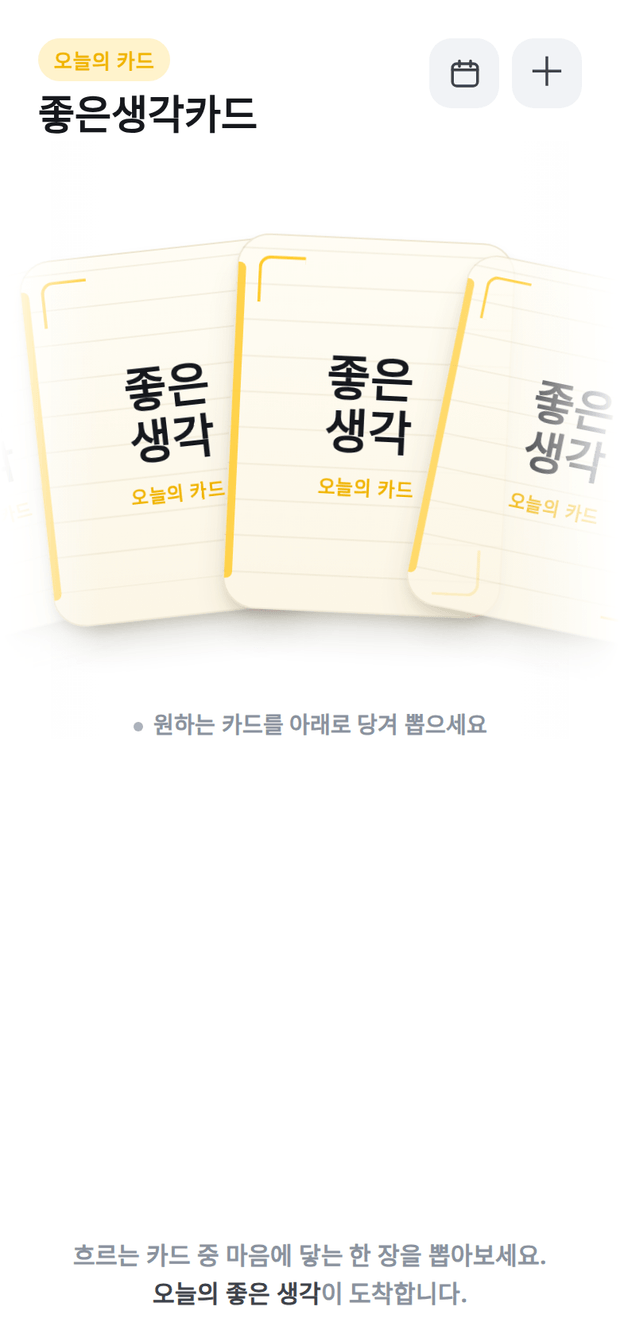
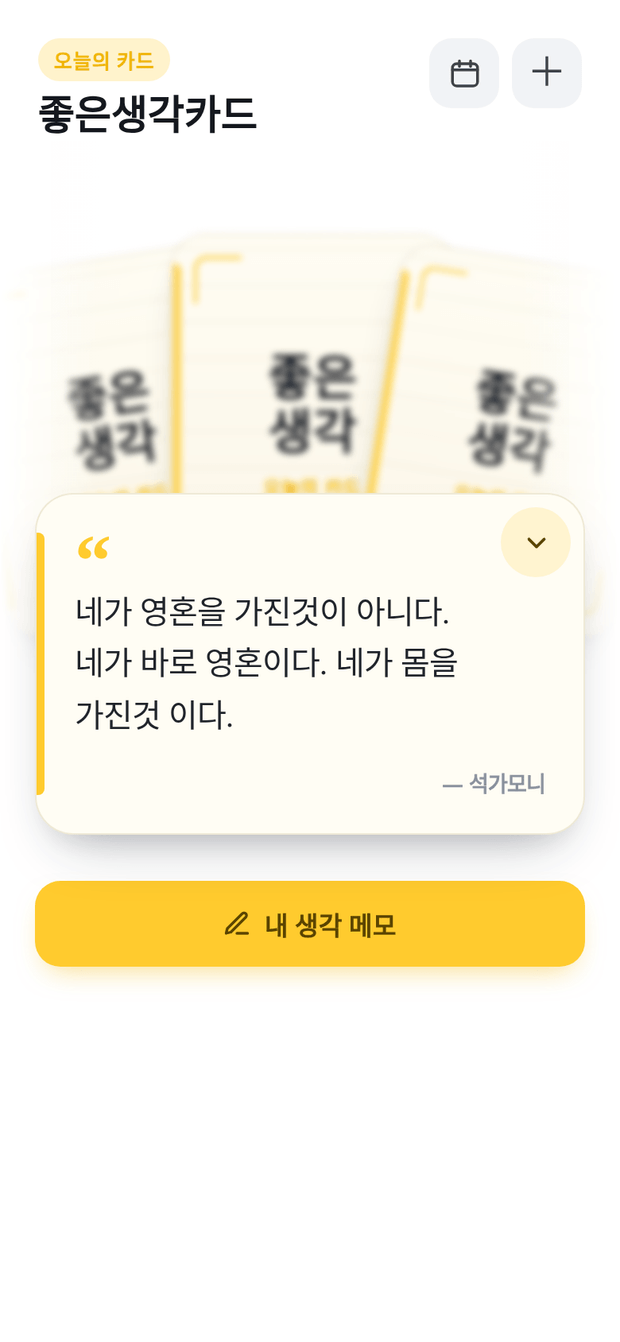
Open the card deck, draw a short line, and optionally keep your own lines and notes on the device.
Technical structure
Google Apps Script / HtmlService serves the app; a Cloudflare Pages wrapper provides the public address and PWA shell. The default deck is bundled, while added lines and notes use browser localStorage.
Boundaries
Local notes do not sync across devices and can disappear if browser data is cleared. The interface is Korean. This is an example of a small app, not a shared business database.
Demo, video & code
App UI verified on 13 October 2026
The manager observed HTTP 200 and the actual card-deck UI in the final GAS frame.
Public repository and MIT license verified. Existing screenshots are not claimed to match a pinned deployed version.
Existing product screenshot · Korean interface
The card deck — Good Thought CardA drawn card — Good Thought Card
CheckReport
Self-built design & screenshot example
The task
Field inspection records need to reach a report without being retyped at every step.
What it does
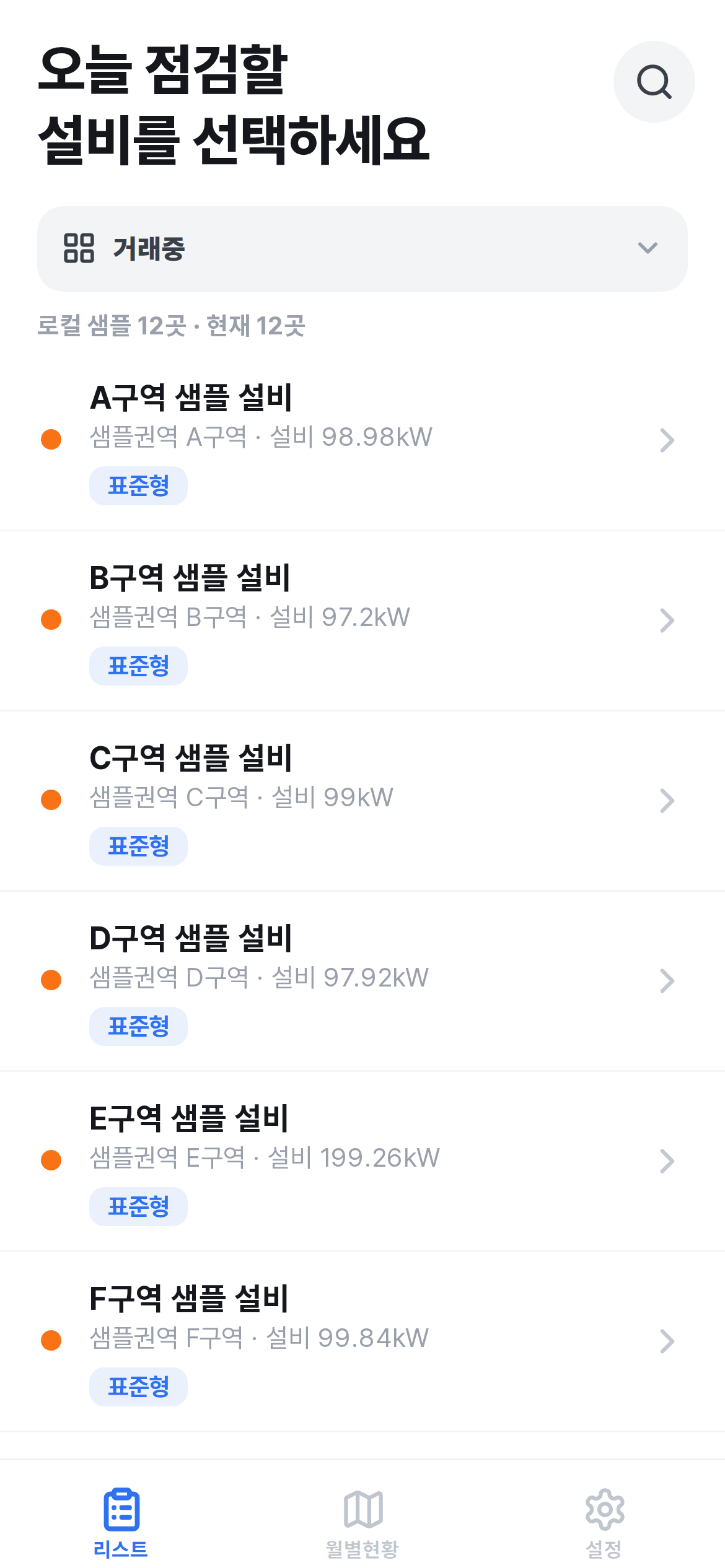
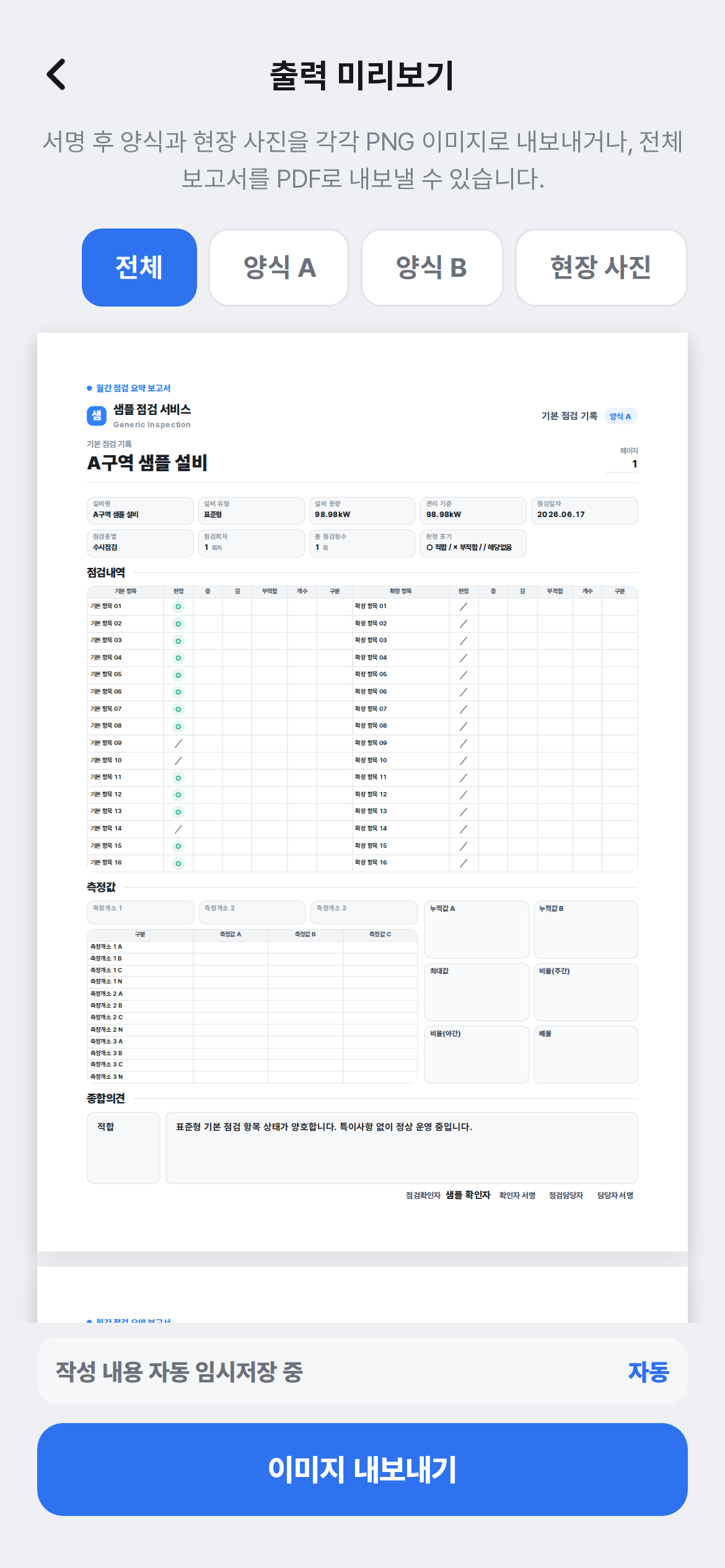
The existing example screens show facility selection, inspection input, photo attachment, and an A4 export preview.
Technical structure
The repository’s project draft describes GAS / HtmlService, a shared Google Sheet, Drive photo storage, ScriptLock, and an idempotency key for duplicate writes. Those mechanisms are source-described, not runtime-verified here.
Boundaries
Current live execution is failing. The wrapper returned HTTP 200, but the inner script.google.com frame showed a Google Drive “requested file does not exist” error. The screenshots show sample facilities; this is not a working live demo or proof of client delivery.
Demo, video & code
Demo execution failed in the latest check
No live-demo button is offered while the underlying GAS page is failing.
Screen recording: preparing
No same-product recording is available. Preparing; an academy video is not used as a substitute.
Public source: not verified / preparing
A public repository has not been verified. No private code is published.
Existing product screenshot · Korean interface
Sample facility list — CheckReportA4 export preview — CheckReport
Demo runtime status: manager’s 13 October 2026 browser check. Client delivery: confirmed by the owner. Screenshots and public code are not claimed to match a pinned production version.
Scope one Google workflow.
Use the existing public inquiry form
Describe one workflow using the checklist below, then open the existing Haeminway inquiry page. Start your message with “Haeminway Dev”. The Dev site does not store form answers; the linked form explains its consent and retention policy.
Approximate volume, trigger, and access restrictions
Preferred timing and budget, if known
Deliverables and acceptance checks
Preferred reply language
Do not include passwords, API keys, student records, or customer data. Source access, ownership, support, price, and schedule must be agreed for the paid pilot.
Privacy and project inquiries
This site does not collect form answers or add a visitor tracker. Project inquiries use the existing Haeminway form, which requests consent and provides its privacy notice. External demo and GitHub links are governed by those services’ policies. Do not submit credentials, student records, or real customer data in an initial inquiry or public demo.